
Email migration is never as simple as it sounds. Whether you’re switching email clients or moving from one system to another, the process often involves converting large, complex OST files into a format that other applications can recognize. That’s where an OST to MBOX tool comes into play.
OST (Offline Storage Table) files are created by Microsoft Outlook to store mailbox data locally, but they are not directly usable in other email clients. On the other hand, MBOX is a universal format supported by popular platforms like Apple Mail, Thunderbird, Postbox, and others. Converting OST to MBOX ensures you can easily access and manage your emails outside of Outlook.
However, the real challenge lies in choosing the right OST to MBOX tool. Many generic converters fail to preserve email integrity, folder hierarchy, or important elements like attachments and metadata. That’s why finding a reliable, professional-grade solution is essential for a smooth migration process.
What is an OST to MBOX Tool?
An OST to MBOX tool is specialized software designed to convert Outlook OST files into the widely supported MBOX format. OST files (Offline Storage Table) are created by Microsoft Outlook to store emails, contacts, calendars, attachments, and other mailbox items offline. While these files work seamlessly within Outlook, they are not compatible with other email clients.
This is where an OST to MBOX converter becomes crucial. By converting OST files into MBOX, you can migrate your data effortlessly to clients like:
- Apple Mail
- Mozilla Thunderbird
- Postbox
- Eudora
- And other MBOX-based applications
Unlike manual conversion methods, which are risky and time-consuming, a professional OST to MBOX tool ensures that no email data is lost or corrupted during the process. It preserves the original folder structure, metadata, attachments, and even HTML formatting, making the transition smooth and accurate.
In short, an OST to MBOX tool bridges the gap between Outlook and other email platforms, giving users complete flexibility and control over their data migration.
OST Extractor Pro – The Ultimate OST to MBOX Tool
When it comes to email migration, not every OST to MBOX tool is built the same. Many converters offer basic functionality but fail to maintain accuracy, speed, or data integrity. That’s where OST Extractor Pro stands out as a complete solution.
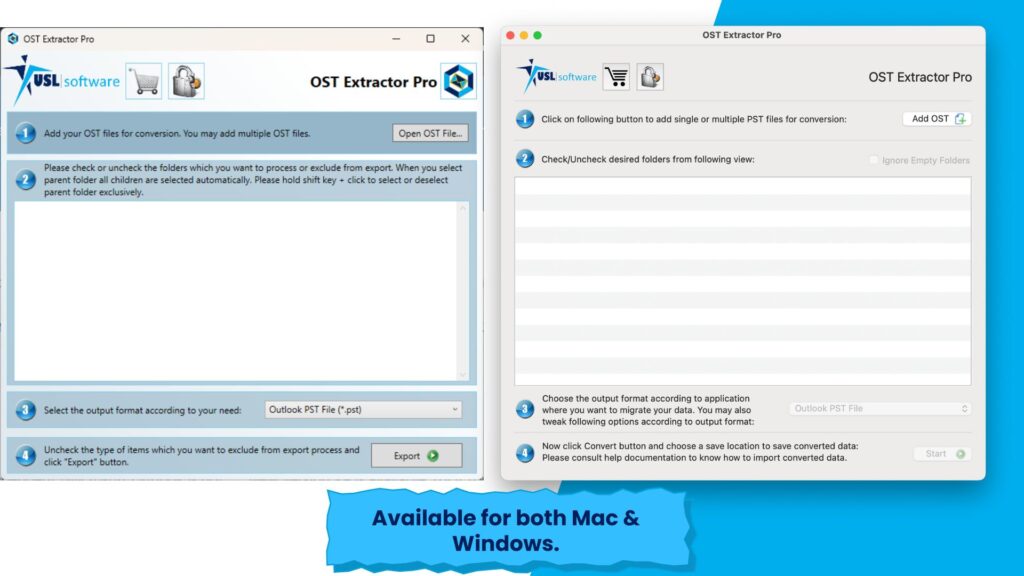
Developed by USL Software, OST Extractor Pro is more than just a simple converter. It’s a powerful, all-in-one migration tool designed with advanced algorithms to handle even the most complex OST files. Unlike generic tools, it ensures that every detail of your email data is safely converted to MBOX without any loss or modification.
What makes OST Extractor Pro different?
- It not only converts OST to MBOX but also supports multiple output formats such as PST, Apple Mail, Thunderbird, and EML.
- It delivers fast and precise results, even when handling large OST files.
- The tool is built with a user-friendly interface, making it suitable for both beginners and IT professionals.
With its robust performance and reliability, OST Extractor Pro has become the go-to choice for anyone searching for a dependable OST to MBOX tool.
Top Features of OST Extractor Pro
Choosing the right OST to MBOX tool means looking for features that go beyond simple conversion. OST Extractor Pro is designed with advanced functionality that ensures speed, accuracy, and reliability in every migration project. Here’s what makes it the best:
Easy Installation & Zero Configuration
- Quick setup process—install and start using within minutes.
- No complex configuration required.
Support for Double-Byte Characters
- Built-in scripts handle non-English languages such as Chinese, Japanese, and Korean.
- Guarantees accuracy when dealing with multilingual email databases.
Complete Data Preservation
- Converts emails, headers, attachments, metadata, inline images, nested emails, and HTML formatting without errors.
- Maintains the originality of your emails during the OST to MBOX conversion.
Standalone & Secure Tool
- No need for third-party plugins or internet connectivity.
- 100% standalone, ensuring privacy and data safety.
Advanced Folder Mapping
- Retains the original folder hierarchy after conversion.
- Helps users find their emails in the same structure as before.
High-Speed Conversion
- Converts 1GB OST file to MBOX in under 10 minutes.
- Saves time during bulk migrations.
Batch OST Conversion
- Select and convert multiple OST files at once.
- Ideal for businesses and IT admins handling large data sets.
Detailed Conversion Report
- Generates a log report for every migration.
- Gives users complete transparency about the process.
Compatibility with All Outlook Versions
- Supports OST files from Outlook 97 to 2019, Exchange OST, and Office 365 OST.
- Ensures flexibility for both old and new systems.
With these advanced features, OST Extractor Pro proves why it is the best OST to MBOX tool for both individuals and enterprises.
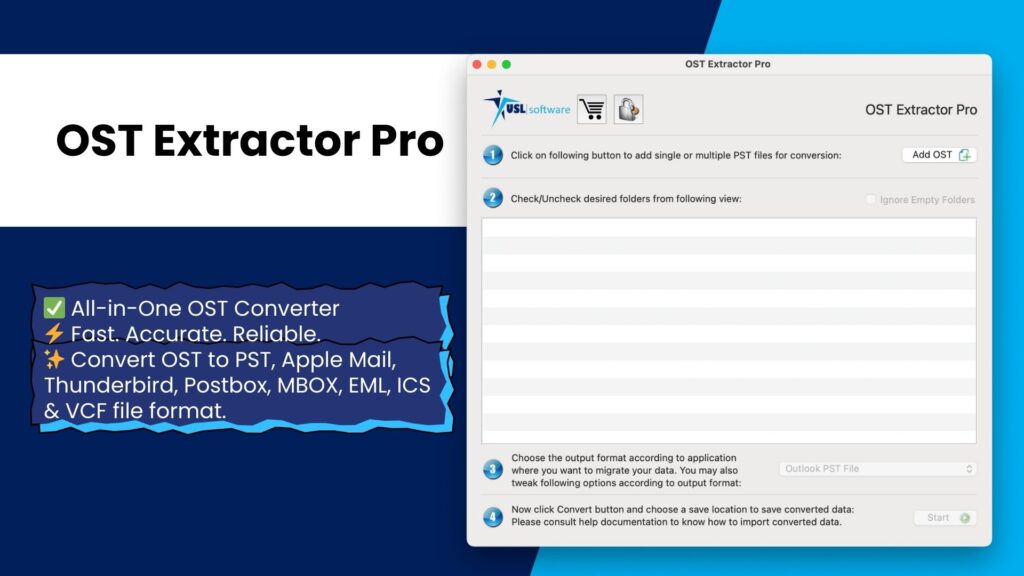
Why Choose OST Extractor Pro Over Other OST to MBOX Tools?
With so many conversion solutions available, finding the right OST to MBOX tool can feel overwhelming. Many generic tools promise results but fall short when it comes to data integrity, speed, and user experience. Here’s why OST Extractor Pro outshines the rest:
Preserves Email Integrity
Other tools often skip attachments, inline images, or alter email formatting. OST Extractor Pro ensures every element—including headers, metadata, and formatting—is preserved exactly as it is.
Works with All Outlook OST Files
From Outlook 97 to 2019, Exchange OST, and Office 365 OST, the tool guarantees compatibility, unlike many converters that fail with older or newer OST files.
Maintains Folder Structure
Losing the original email hierarchy can create chaos after migration. OST Extractor Pro’s precise folder mapping feature makes sure your mailbox remains perfectly organized.
User-Friendly Interface
Unlike complicated IT tools, this software is designed for everyone—whether you’re a first-time user or an experienced IT admin. No steep learning curve required.
Fast & Reliable Performance
Converting large OST files is often slow with basic converters. OST Extractor Pro handles gigabytes of data quickly, saving time for both individuals and businesses.
Professional Technical Support
In case of unique migration needs, the USL Software support team provides reliable assistance—something most free or low-quality tools lack.
In short, OST Extractor Pro isn’t just another OST to MBOX tool—it’s a complete, professional-grade solution designed to give users peace of mind during migration.
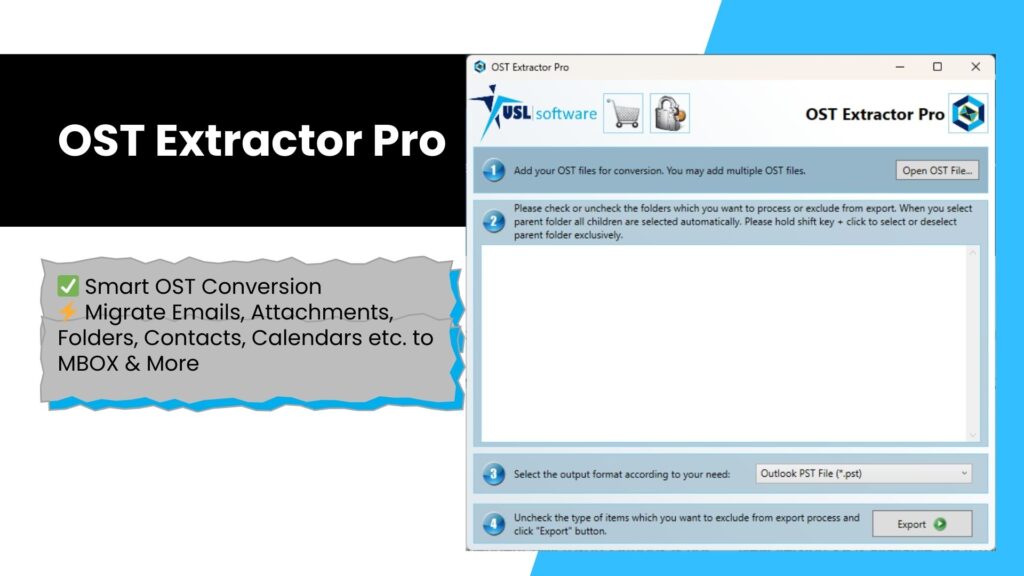
How to Convert OST to MBOX with OST Extractor Pro (Step-by-Step Guide)
Migrating emails doesn’t have to be complicated. With OST Extractor Pro, you can convert OST to MBOX in just a few simple steps. Here’s how:
Total Time: 10 minutes
Install and Launch the Tool
Download OST Extractor Pro from the official website.
Install it in under two minutes and open the application.Add OST Files
Click on the “Add OST” button.
Browse and select one or multiple OST files you want to convert.Preview Mailbox Structure
The tool automatically scans the OST files.
You’ll see the entire folder hierarchy in a tree-view format.
Simply uncheck any folder you don’t want to include in the conversion.Select MBOX as Output Format
From the list of available formats (PST, Apple Mail, Thunderbird, EML), choose MBOX.
Customize settings if needed (e.g., folder mapping, batch mode).Start the Conversion
Click “Convert” to begin the process.
OST Extractor Pro will convert your data at high speed without losing integrity.Save & Access MBOX Files
Once the process completes, a detailed log report is generated.
Save your converted MBOX files and import them into your preferred email client like Apple Mail or Thunderbird.
With these steps, even first-time users can perform OST to MBOX migration effortlessly using this advanced OST to MBOX tool.
Free Trial of OST to MBOX Tool
Before investing in any software, it’s natural to want proof of its performance. That’s why OST Extractor Pro offers a free trial version of its powerful OST to MBOX tool.
With the trial edition, you can:
- Test all the core features in real-time.
- Convert a limited amount of data from OST to MBOX.
- Preview how the tool preserves emails, attachments, and folder hierarchy.
This gives you the chance to experience the speed, accuracy, and ease of use before making a purchase decision. Whether you’re an individual user or managing migration for an entire team, the trial version helps you confidently evaluate the tool’s effectiveness.
Download the free trial today and see why OST Extractor Pro is the most reliable OST to MBOX tool available.
Conclusion
Migrating emails from Outlook OST files to MBOX format doesn’t have to be stressful. With the right OST to MBOX tool, you can ensure a smooth, secure, and error-free transition.
Among all the available options, OST Extractor Pro stands out for its speed, accuracy, and advanced features. From preserving email integrity and folder hierarchy to supporting batch conversion and multilingual data, it delivers everything you need for a successful migration.
If you’re looking for a dependable way to convert OST to MBOX, this tool is your best choice.
Try the free trial today and experience the most powerful OST to MBOX tool for yourself!